
Fragmented tools and manual handoffs slow resolution when customers need refrigerators fixed and HVAC systems running again.
Bruviti auto-resolves at least 40% of routine appliance support emails at under 2 minute median handling with 24/7 coverage, per Bruviti deployment data. Builders orchestrate intake, classification, and response as one workflow so repetitive tickets close without an agent, and only judgment-heavy cases route to a person.
Agents switch between CRM, knowledge base, and parts catalog to resolve a single refrigerator complaint. Each system lookup interrupts the conversation and extends handle time.
Agents spend the first three minutes of every call reading symptoms, checking model history, and deciding where to route the case instead of solving the problem.
The same symptom description gets typed into the ticketing system, copied into the knowledge search, and re-entered into the warranty check tool. Data entry wastes agent time and introduces transcription errors.
Bruviti's API-first architecture orchestrates customer service workflows by connecting your CRM, knowledge systems, and parts databases through event-driven automation. When a case arrives via email or chat, the platform reads the symptom description, correlates it against model-specific failure patterns, retrieves relevant troubleshooting steps, and auto-populates warranty entitlement in a single workflow. Agents see the complete resolution context in one screen instead of switching between five tools.
The Python SDK lets you define custom routing logic based on appliance type, failure mode, and customer history. Refrigerator compressor failures route directly to senior agents with HVAC expertise. HVAC seasonal surge cases trigger automated self-service workflows before escalating to live agents. You control the decision tree without vendor-imposed workflow templates that don't match your service operations.
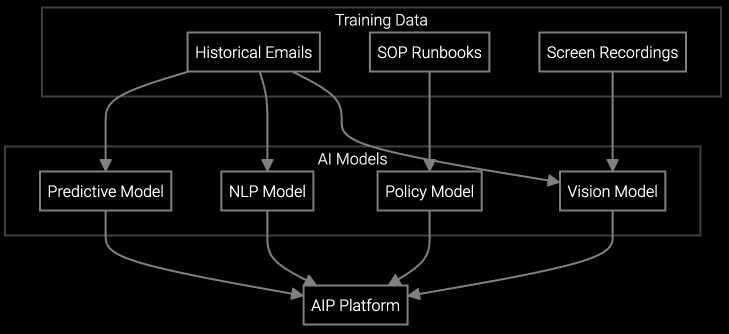
Automated email reading extracts refrigerator model numbers and error codes from customer descriptions, classifies issues, and drafts resolution emails using appliance-specific knowledge bases without agent intervention.
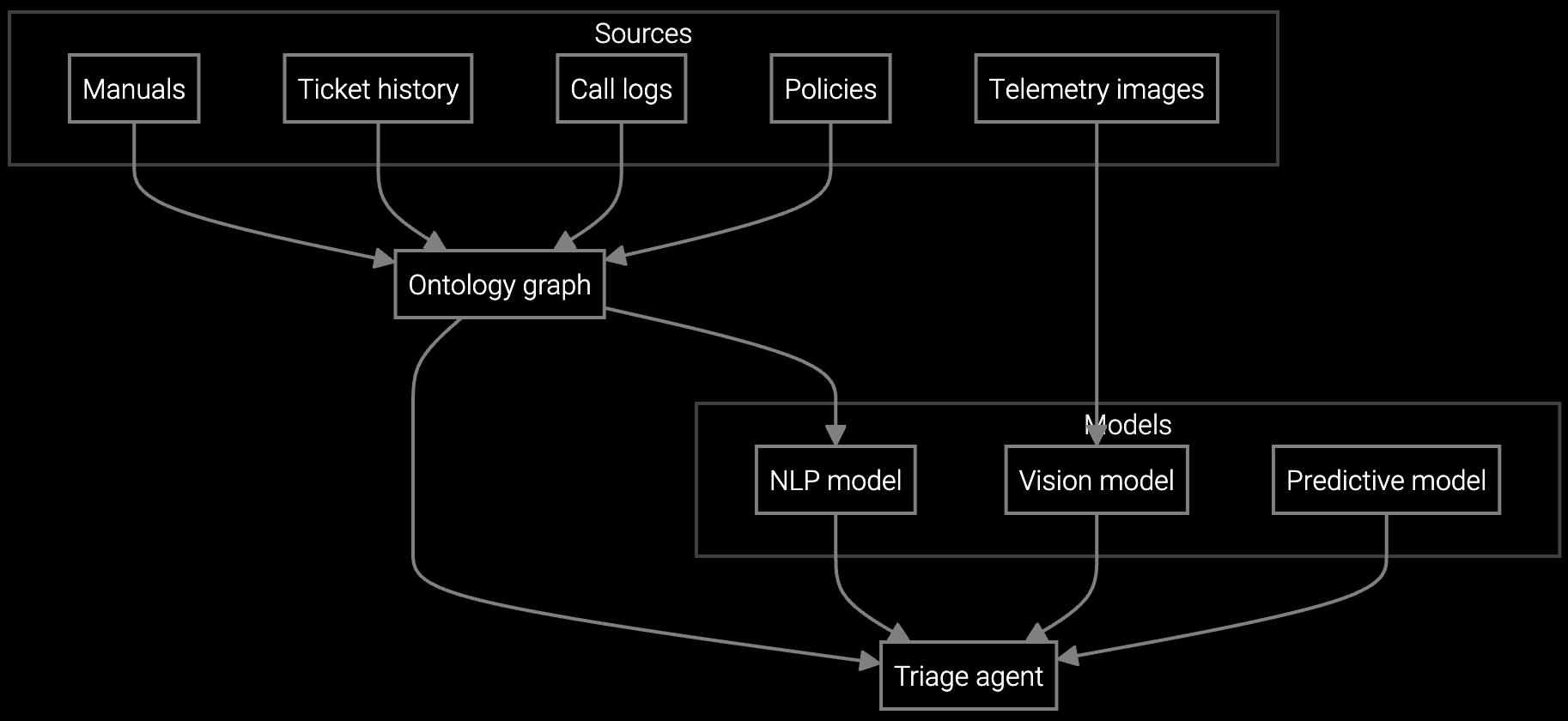
Autonomous triage analyzes HVAC symptom descriptions, correlates error codes with model-specific failure modes, and routes cases to seasonal surge teams or warranty specialists based on entitlement and urgency.
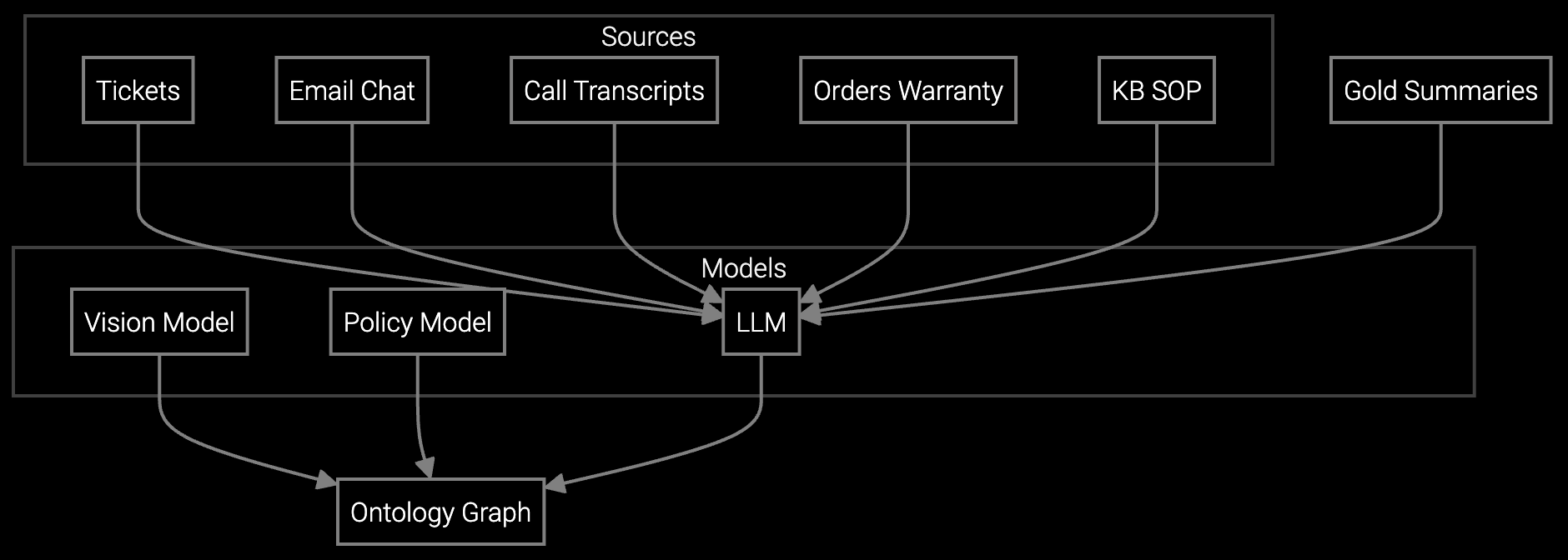
Instant case history generation from email threads, chat logs, and prior calls gives agents complete appliance repair context without reading through months of interaction transcripts.
Appliance service contacts spike during heat waves (air conditioners) and holiday cooking periods (ovens and refrigerators). Traditional workflow systems can't dynamically adjust routing rules when HVAC cases triple overnight. The platform detects contact volume patterns and automatically shifts workflow thresholds—routing simple thermostat cases to self-service, escalating compressor failures immediately, and batching cosmetic complaints for next-day callback. You define the surge triggers through the API based on your contact center capacity and seasonal service contracts.
The system monitors connected appliance telemetry to predict surge events before customers call. When IoT sensors detect widespread refrigerator temperature anomalies in a region, the workflow pre-generates troubleshooting guides for that model and routes incoming cases to agents already briefed on the failure pattern. This proactive workflow adjustment cuts handle time during the exact moments when speed matters most to customer satisfaction.
The platform connects through REST APIs and webhooks that listen for case creation events in your CRM. When a ticket arrives, the workflow reads case data, calls knowledge base APIs, retrieves parts information, and writes enriched context back to the CRM record. You define the integration points through configuration files without modifying your core CRM schema.
Yes, the Python SDK provides routing functions that accept case attributes and return agent assignments. You write conditional logic based on appliance type, failure mode, warranty status, or customer tier. The workflow engine executes your code and routes cases accordingly. No predefined templates constrain your service operations.
The platform retrains decision models when you publish new troubleshooting guides or update appliance specifications in your knowledge system. Workflows automatically reference the latest version of repair procedures. Version control tracks which knowledge base snapshot each case used so you can audit resolution accuracy over time.
The workflow API includes exception handling for ambiguous warranty scenarios. When automated entitlement checks return uncertain results—extended warranties near expiration, service contracts with usage limits—the system flags the case for manual review instead of auto-rejecting. You configure the uncertainty threshold and define which edge cases require agent judgment.
The platform logs workflow step duration and decision outcomes for every case by channel. You track email auto-resolution rates, chat triage accuracy, and phone call handle time separately. API endpoints expose this data for your analytics tools so you can quantify which workflow automations deliver the largest efficiency gains per channel.

Transforming appliance support with AI-powered resolution.

Understanding and optimizing the issue resolution curve.
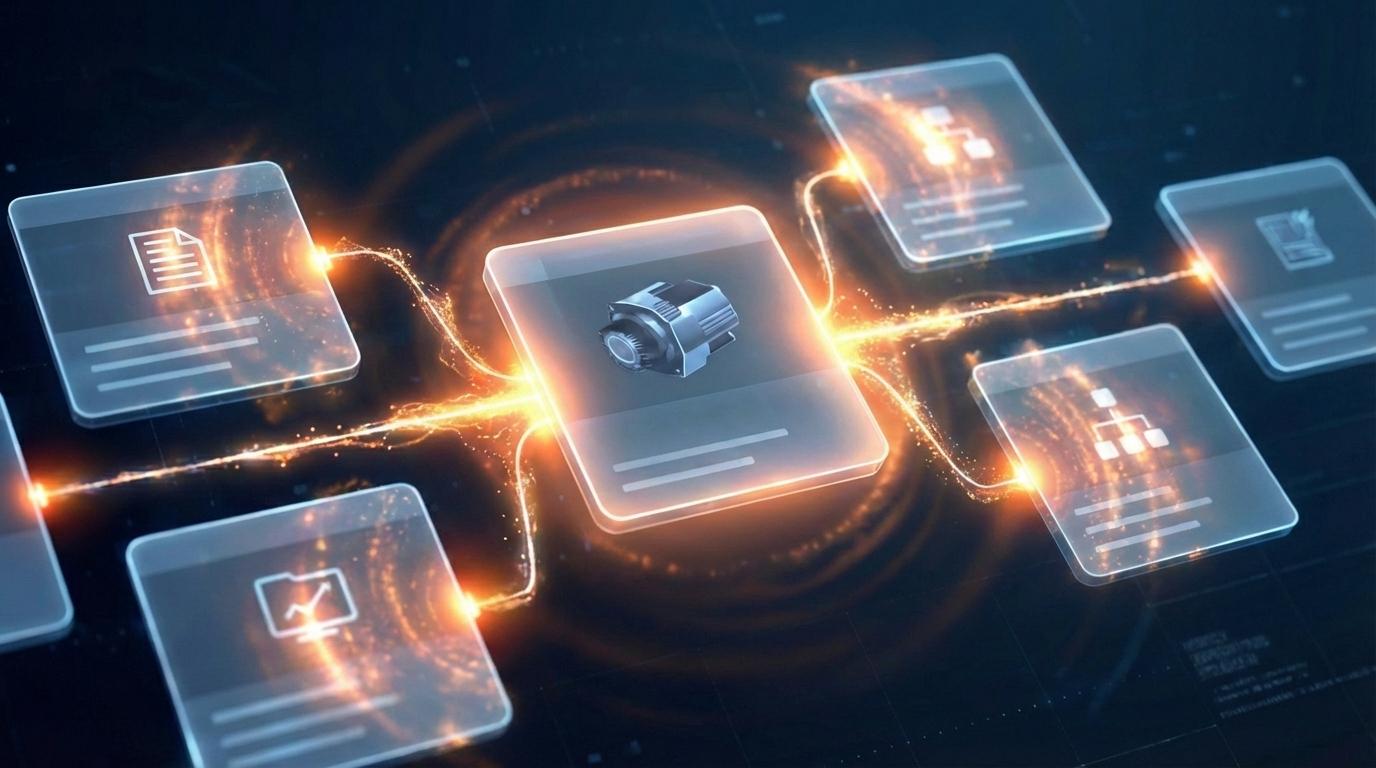
Software stocks lost nearly $1 trillion in value despite strong quarters. AI represents a paradigm shift, not an incremental software improvement.
See how API-first architecture and Python SDKs let you customize service workflows on your infrastructure.
Talk to an Engineer