
Network downtime costs $5,600 per minute—stockouts can't wait for manual forecasting to catch up.
Once AI parts inventory is configured for network equipment, planners run any parts search in under 30 seconds, per Bruviti deployment data. Setup connects your existing parts catalog and service history, then operators query by symptom, model, or photo and get the right SKU without paging through PDF manuals.
Network equipment inventory lives in multiple systems—ERP for stock levels, CRM for installed base, service tickets for failure patterns. Connecting these data sources without disrupting daily operations is the first hurdle.
Parts teams handle urgent orders every hour. Any new system that slows down lookups or adds extra steps gets abandoned within days, no matter how accurate its forecasts.
AI demand forecasts need weeks of historical data to train and validate. During setup, teams must run parallel systems—manual forecasting plus AI—to catch errors before they cause stockouts.
Start by connecting the platform to your existing ERP system via API—no need to migrate data or change screens. The system ingests three data streams: current inventory levels, historical demand patterns from service tickets, and equipment telemetry showing failure trends. This happens in the background without changing how your team processes orders today.
Once data flows, the platform builds demand forecasts by location and part family. Your team reviews AI-generated suggestions in their existing workflow—part lookups now show predicted stockout dates and substitute options automatically. Deploy in phases: start with high-velocity parts at one warehouse, validate accuracy over 2-3 weeks, then expand. No "big bang" cutover, no retraining on new interfaces.
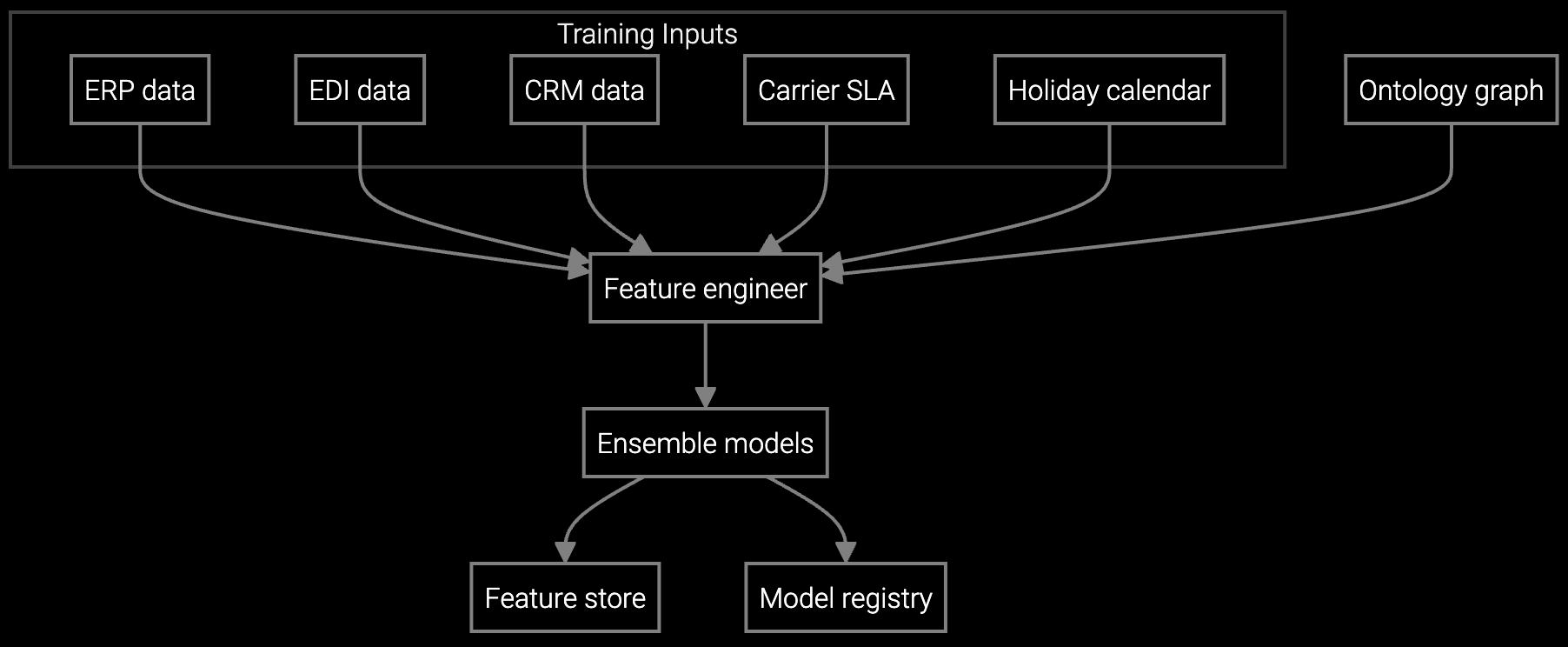
Forecasts demand for router line cards and optics modules by regional warehouse, optimizing stock levels while reducing carrying costs for slow-moving network components.
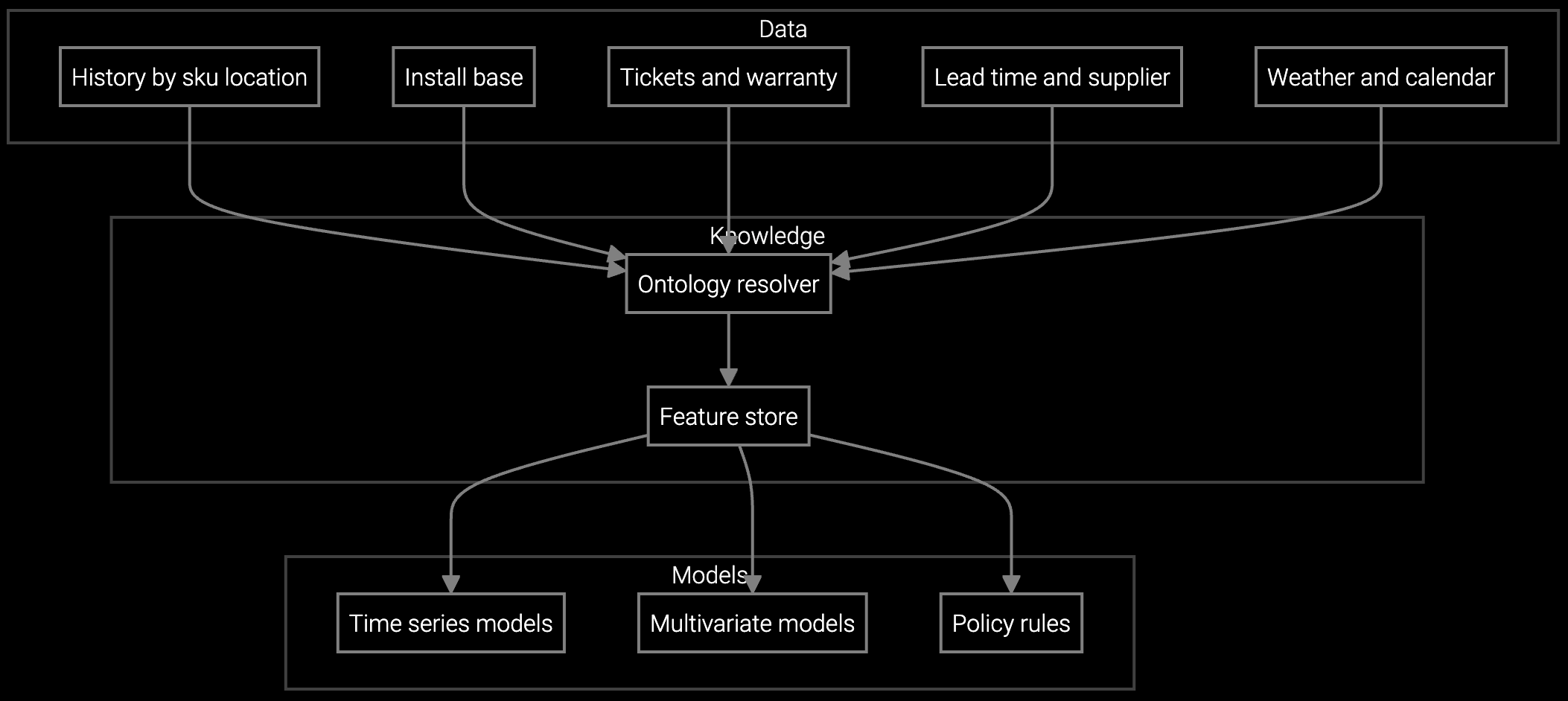
Projects parts consumption for network equipment based on installed base age, firmware versions, and seasonal traffic spikes that stress power supplies and cooling systems.
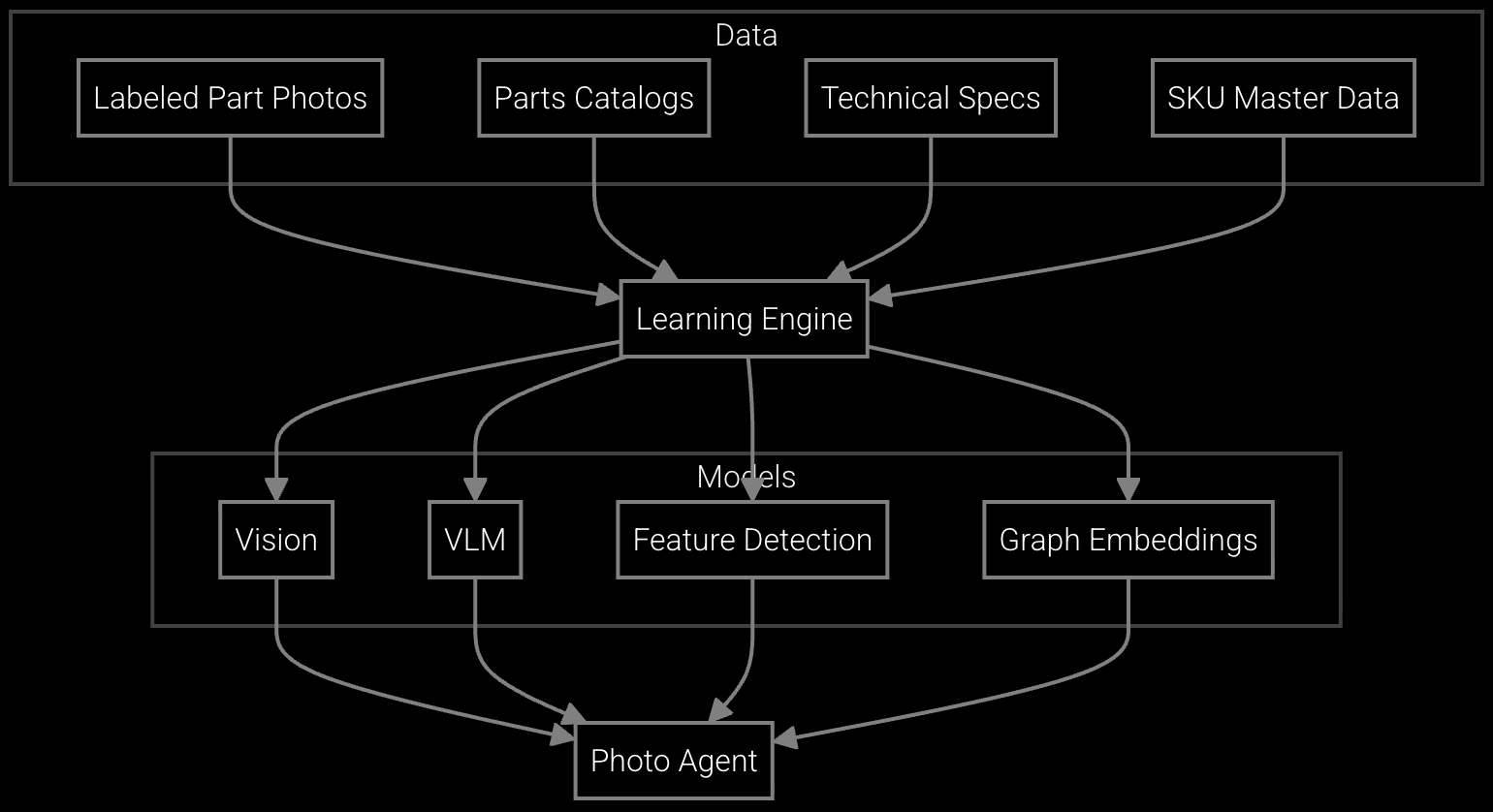
Snap a photo of a network module or transceiver and get instant part number identification plus availability information—no manual catalog lookup needed during urgent service calls.
Network equipment OEMs face unique inventory challenges—routers and switches have hundreds of configurable line cards, optics modules, and power supplies. A single chassis model might require 40+ SKUs to support all customer configurations. Traditional forecasting can't keep up with firmware-driven failure patterns or sudden demand spikes when a CVE triggers mass upgrades.
AI setup begins by ingesting your installed base data to understand which equipment generations are aging into failure curves. The system maps SNMP trap patterns and syslog signatures to specific part failures—when 5-year-old power supplies start logging thermal events, the forecast adjusts weeks before RMA volume spikes. This telemetry-driven approach catches demand shifts that manual planning misses until stockouts hit.
ERP and CRM connections typically take 3-5 days using standard APIs. Telemetry ingestion adds another week if you need to configure SNMP trap forwarding or syslog feeds. Most network equipment OEMs complete full data integration in under 2 weeks without custom development.
Start with AI suggestions displayed alongside—not replacing—manual forecasts. Let your team spot-check accuracy for 2-3 weeks on non-critical parts. Once they see AI catching demand spikes they missed (like firmware update waves), adoption follows naturally. Forcing a cutover kills trust.
Yes, phased deployment is recommended. Pick a single regional warehouse handling high-volume parts, run parallel for 3-4 weeks to validate accuracy, then expand. This approach isolates risk and gives your team confidence before full rollout.
Run AI forecasts against historical demand data for the past 6 months. Compare predicted vs. actual consumption to calculate MAPE (mean absolute percentage error). Target under 20% MAPE before switching from manual planning. This backtesting catches model issues without risking real stockouts.
The platform monitors telemetry shifts in real-time and flags sudden pattern changes—like new firmware causing unexpected memory failures. It alerts your team to review forecasts rather than auto-adjusting, preventing AI from overreacting to temporary anomalies. You stay in control of major forecast changes.

SPM systems optimize supply response but miss demand signals outside their inputs. An AI operating layer makes the full picture visible and actionable.
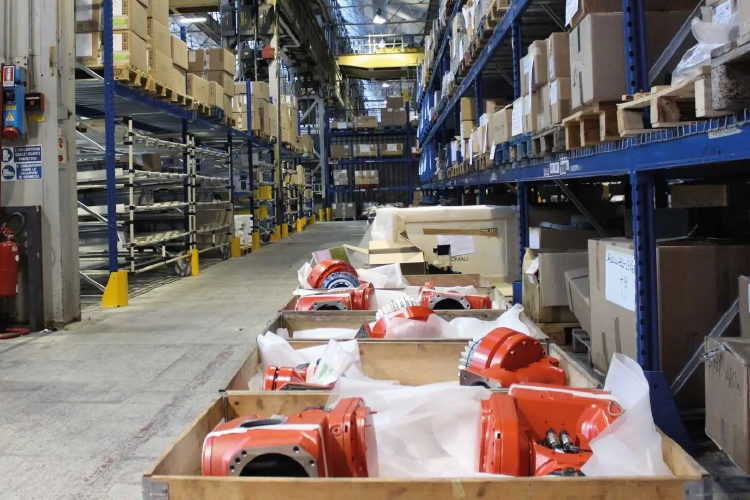
Advanced techniques for accurate parts forecasting.

AI-driven spare parts optimization for field service.
See how Bruviti's platform integrates with your existing systems without disrupting daily operations.
Schedule Setup Review